Noji (formerly AnkiPro)
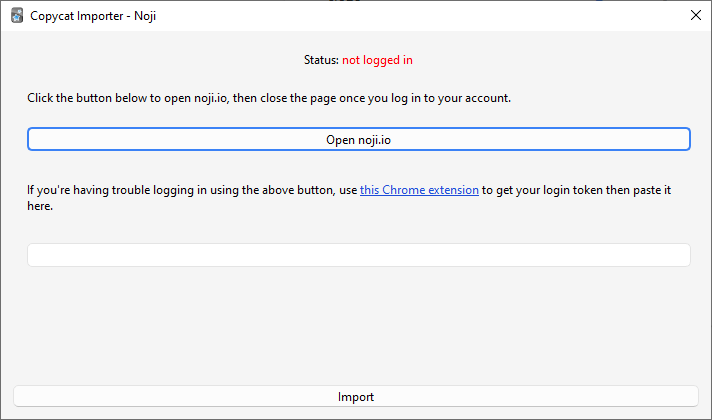
The add-on works by downloading your decks from the Noji website:
- Go to Tools > Copycat Importer > Import from Noji.
- Click the Open button.
- A new window will pop up. Log in to your Noji account there then close the window.
- The status text should change to “logged in” in green if the login is successful. Now click the Import button.
Known Issues
- Importing of study progress and deck options is not supported yet.
- Importing of image occlusion cards is not supported.
- Noji is trying to prevent people from exporting their decks using this add-on. You can use this Chrome extension to get your login token then paste it in the text field if you’re having trouble logging in via the add-on.