Introduction
This Anki add-on allows you to import decks from copycat apps such as AlgoApp (formerly AnkiApp) and Noji (formerly AnkiPro).
Usage
Visit the page relevant to your app:
Download
You can download the add-on from AnkiWeb using the code: 2072125761
References
AlgoApp (formerly AnkiApp)
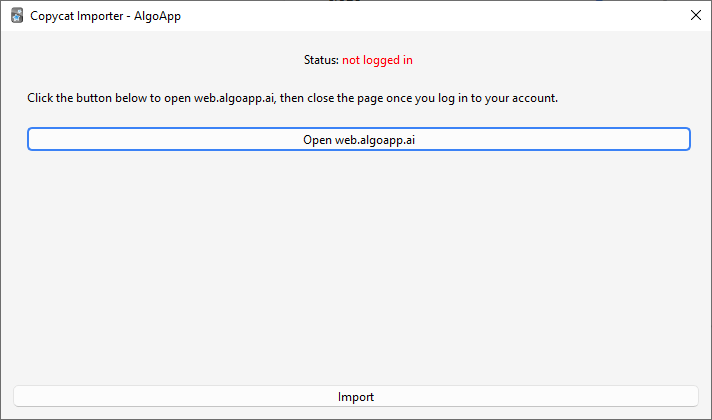
The add-on works by downloading your decks from the AlgoApp website:
- Go to Tools > Copycat Importer > Import from AlgoApp.
- Click the Open button.
- A new window will pop up. Log in to your AlgoApp account there then close the window.
- The status text should change to “logged in” in green if the login is successful. Now click the Import button.
Known Issues
Study progress is not imported.
Noji (formerly AnkiPro)
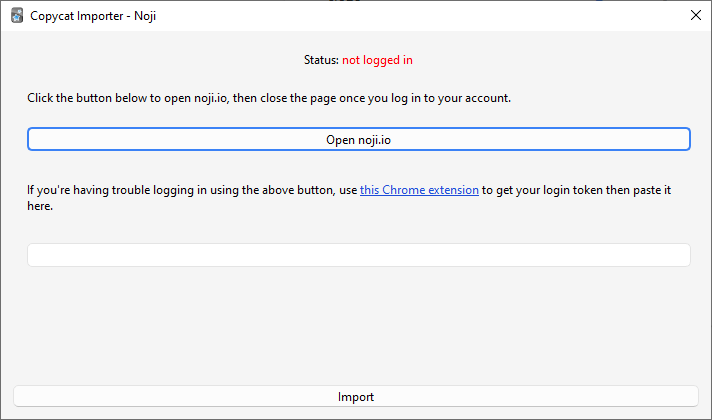
The add-on works by downloading your decks from the Noji website:
- Go to Tools > Copycat Importer > Import from Noji.
- Click the Open button.
- A new window will pop up. Log in to your Noji account there then close the window.
- The status text should change to “logged in” in green if the login is successful. Now click the Import button.
Known Issues
- Importing of study progress and deck options is not supported yet.
- Importing of image occlusion cards is not supported.
- Noji is trying to prevent people from exporting their decks using this add-on. You can use this Chrome extension to get your login token then paste it in the text field if you’re having trouble logging in via the add-on.
Support
Support & feature requests
Please post any questions, bug reports, or feature requests in the support page or the issue tracker. If you want priority support for your feature/help request, I’m available for hire. Get in touch via email or the Upwork link below.
Support me
Consider supporting me if you like my work:



I’m also available for freelance add-on development:
